Previously, the oldest known human writing was from Mesopotamia, about 3000 years ago! This is pretty rudimentary writing, but we do copy editing, and you’d be surprised at how rudimentary today’s writing is! We post funny AI mistakes periodically! Watch this space for more!

Published Feb 23, 2026 3:00 PM EST
New evidence published today in the journal Proceedings of the National Academy of Sciences indicates humans experimented with symbolic writing as much as 40,000 years ago. If true, the discoveries dramatically recontextualize the history of communication, given the earliest known written languages are Mesopotamian proto-cuneiforms dating back to around 3000 BCE.
“The artifacts date back to tens of thousands of years before the first writing systems, to the time when Homo sapiens left Africa, settled in Europe, and encountered Neanderthal,” explained Ewa Dutkiewicz, a study co-author and archaeologist at Berlin’s Museum of Prehistory and Early History.
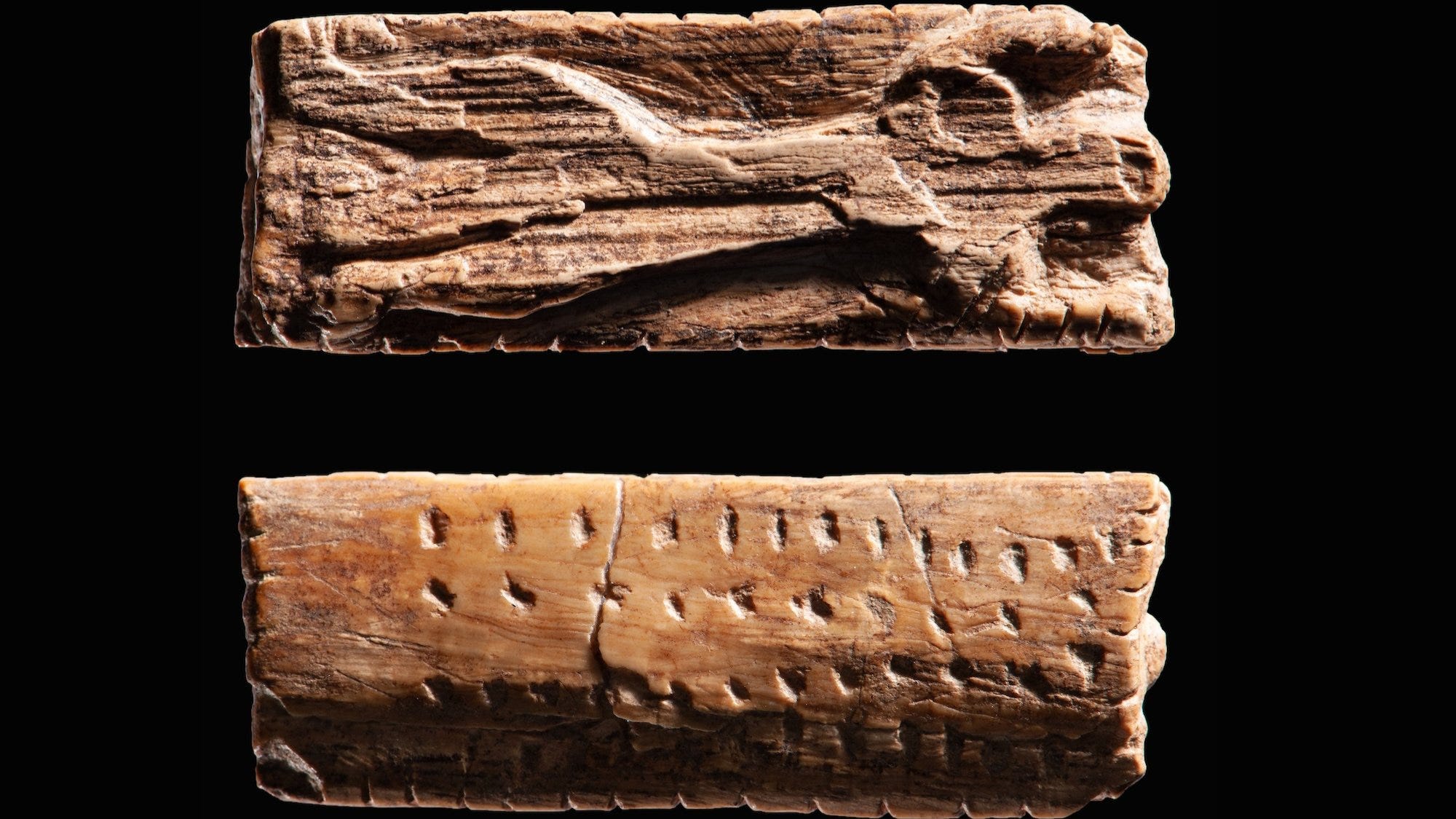
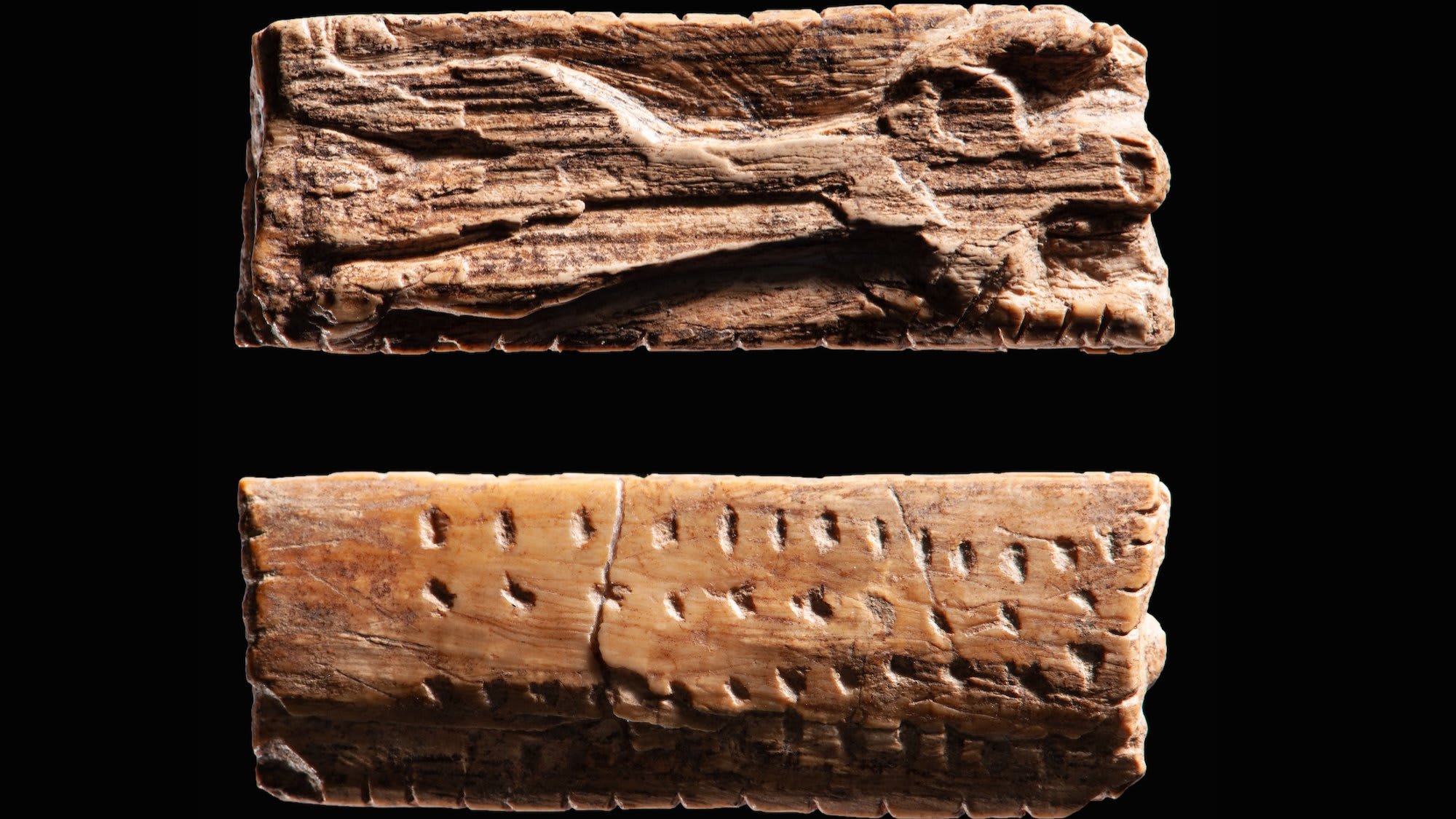
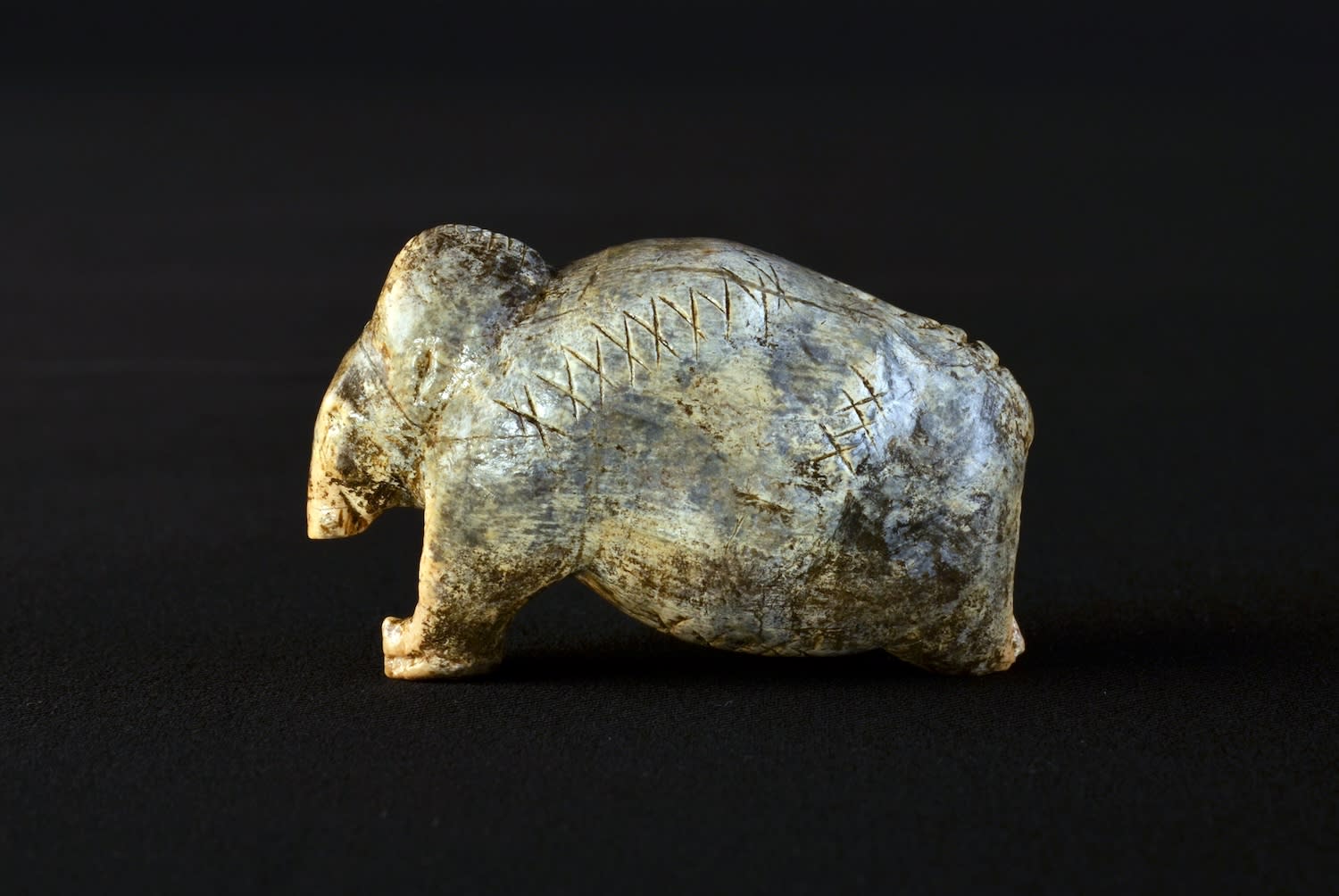
Dutkiewicz and colleagues have spent years analyzing 260 relics recovered from Stone Age cave sites in the Swabian Jura, a remote mountain range located in southwestern Germany. These include a small mammoth figurine carved from the extinct animal’s tusk along with the Adorant, a famous ivory carving that appears to depict a human-lion figure with outstretched arms. These and many other similar artifacts also feature frequently repeating sequences of lines, crosses, dots, and notches.
The team then entered over 3,000 geometric carvings into a Stone Age sign database, and examined them using various computational analysis tools. They didn’t expect to translate any of the messages, but instead used the analysis to compare and contrast their attributes with writing systems that developed later.
“There are plenty of theories, but until now there has been very little empirical work carried out on the basic, measurable characteristics of the signs,” added Christian Bentz, a study co-author from Germany’s Saarland University.
Bentz explained that using methods like quantitative linguistics and statistical modeling allowed them to compare the symbols found on the Paleolithic artifacts to early cuneiform, as well as modern writing formats. With this approach, they could estimate just how much information could be contained within the carved symbols.
“The human ability to encode information in signs and symbols was developed over many thousands of years. Writing is only one specific form in a long series of sign systems,” he said. “We continue to develop new systems for encoding information. Encoding is also the basis of computer systems.”
The results surprised researchers. Although they initially theorized the proto-cuneiform would share more similarities to present-day writing systems, it seems that the Mesopotamian communication method looks more like its Stone Age ancestors. This means that writing may have changed very little for tens of thousands of years. While the exact meanings of Paleolithic Germany’s artifacts remain a mystery, the team is confident it does not represent any spoken language.
“The signs on the archaeological objects are frequently repeated–cross, cross, cross, line, line, line. This type of repetition is not a feature found in spoken language,” said Bentz.
The team can also now begin narrowing the scope of possible interpretations. The discoveries also highlight that in terms of cognitive capabilities, Stone Age humans had already achieved a similar capacity to the present-day descendents.
“There are many sign sequences to be found on artifacts. We’ve only just scratched the surface,” said Dutkiewicz.
Editor’s note: Think he MEANT that to be a pun?